

I set out to file a complaint. I ended up with Topside.
Chrome's vertical tabs open every new tab at the bottom of the list. A couple of hours with Claude later, I had a Chrome extension that fixes it, without writing a line of its code.
By Alex Morton
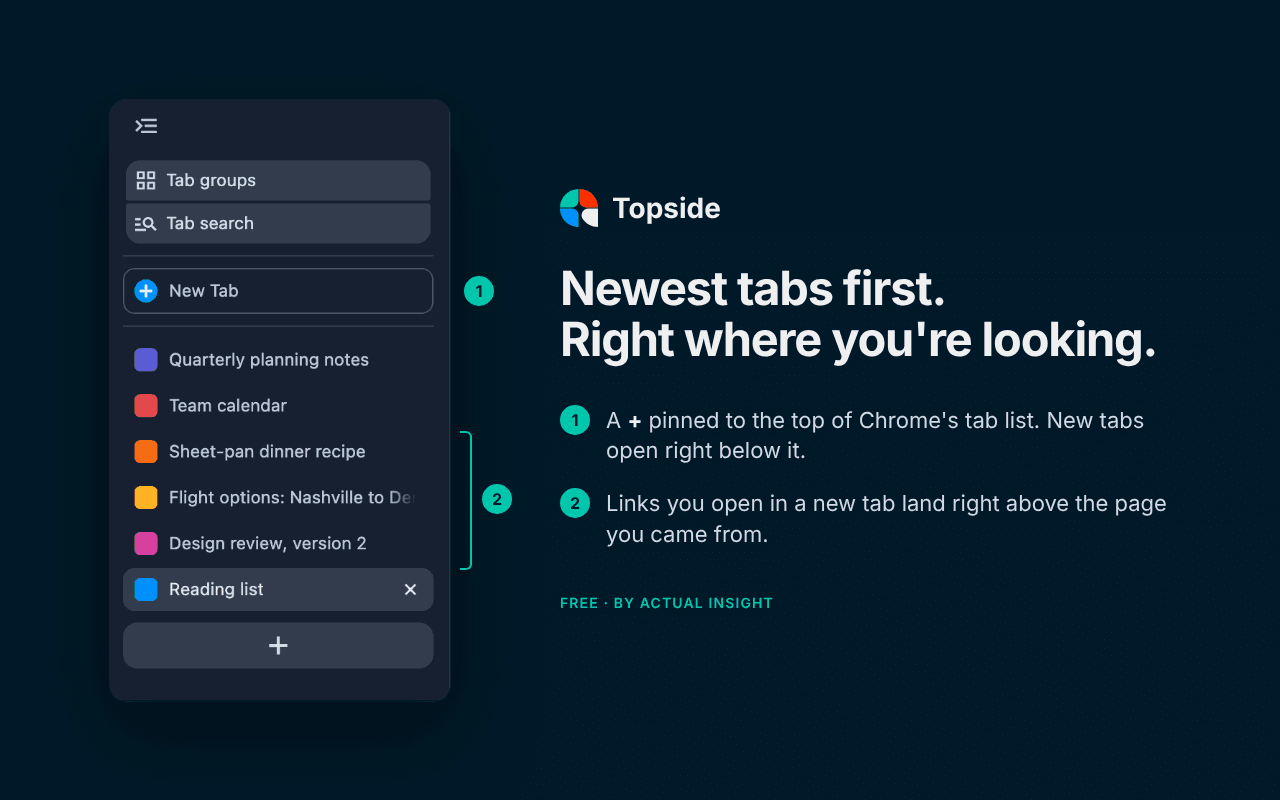
I use Chrome's vertical tabs, and every new tab opens at the bottom of the list. With 20+ tabs open, the page I just opened is the one page I can't see.
So I asked Claude who to complain to at Google. It found the open feature request (plenty of other people want this too), helped me add my vote, and when I asked "could we just fix it ourselves?", it wrote a proposed patch to Chrome's source code. I attached it to the issue.
A patch like that could take months to land. So we built an extension instead. A couple of hours later, Topside was built, tested, and submitted, and Google approved it the next morning.
What it does
- New tabs open at the top of your list, just below your pinned tabs.
- Links you open in a new tab land right above the page you came from, so related pages stay together.
- A + pinned to the top, so a new tab is always one click away, even when the sidebar is collapsed.
- It works with tab groups, and restarting Chrome keeps your tabs where they were.
It's free, and it doesn't read your pages or collect anything.
What stuck with me
I didn't set out to build a product. I set out to file a complaint. I've never built a Chrome extension, and I didn't write a line of its code. What made it work was being specific about what I wanted and testing every version against how I actually work. That part doesn't take a developer. Anyone who knows what's bugging them can do it.
Try it
If you use Chrome's vertical tabs (right-click any tab and choose to show tabs vertically), try Topside and tell me what breaks at topside@actualinsight.com. Don't want the + button? Right-click the Topside icon in your toolbar and switch it off.